
How to send a message to every computer in a school
You want every school computer to show the same message: the network will be down at break, a room has changed, the fire drill is at ten. With Courier you write the notice once, choose the computers, and afterwards see which ones showed it and which people pressed OK.
What you need first #
- Courier installed on a Windows Server that stays on.
- The RSJ Agent on each computer that should show notices. Courier’s installer carries it, and Agent Settings makes a script that installs it and enrols the computer.
- The Courier module turned on for those computers (Agent Settings, Courier module tab, Enable on all enrolled computers).
Courier is for Windows computers only. A computer without the Courier module cannot show a notice; the preview warns you about each one.
Send it #
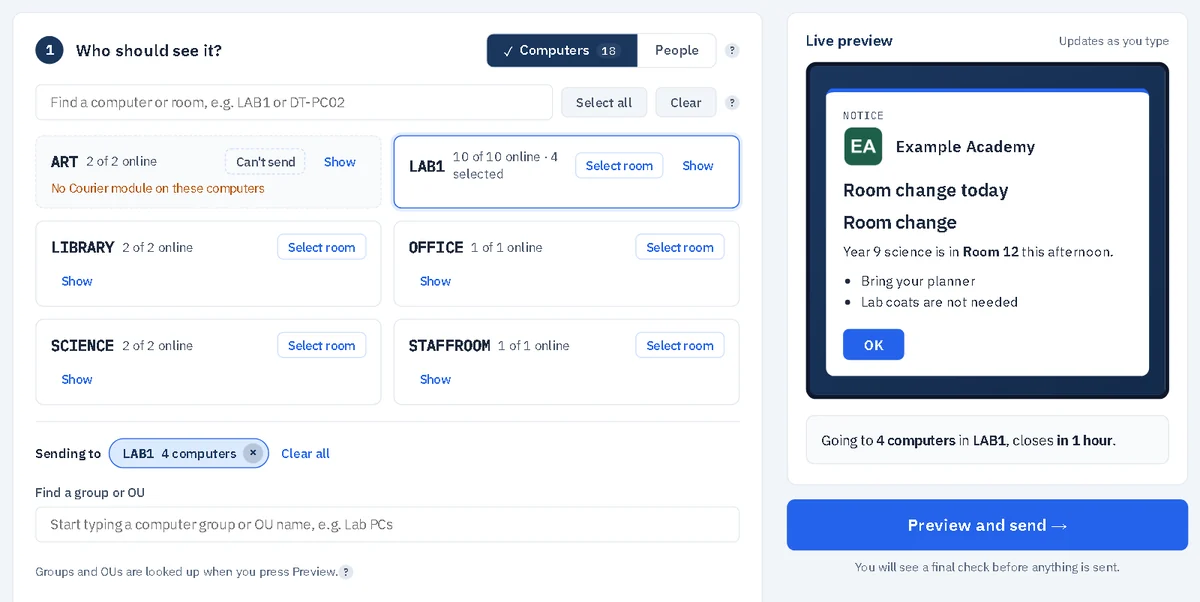
- Open New notice. Under Send to, choose Computers, then Select all. (Select all ticks the computers currently shown, so clear the filter box first.)
- Write a title and the message. Keep it short.
- Choose Expires after: 15 minutes, 1 hour (the default), 4 hours, end of today, 1 day, or your own number of minutes.
- Press Preview.... It shows the notice as the computer will show it, who it goes to, the exact time it closes, and warnings. Nothing has been sent yet.
- Press Send. The button says how many computers it goes to.
Sending to a lot of computers #
A sender who reaches more than 25 computers has to type the number to confirm. An administrator can change that number, or switch on a daily limit, under Message Settings, Sending.
What happens next #
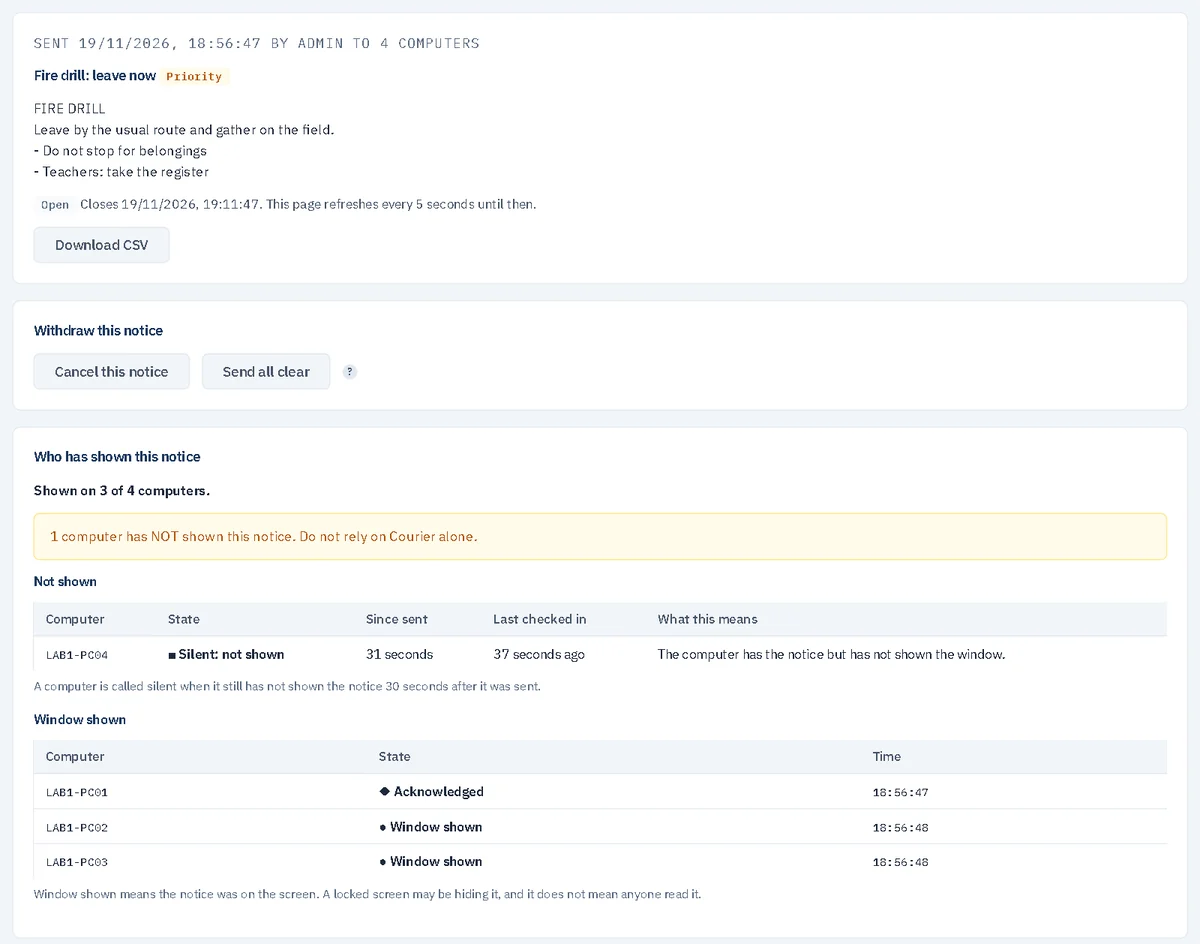
You land on the notice’s Results page, with a row for every computer: waiting, received, displayed, acknowledged, expired or failed. Displayed means it was on the screen, never that anyone read it. A computer that is switched off collects the notice when it comes back, as long as that is before the notice closes. After that it is shown as expired, and expired is never counted as acknowledged. Download CSV saves the results.
Take care over what you write: a notice on a screen can be read by whoever is using that computer.
Courier is for everyday notices, not for emergencies. It gives no promise that a notice arrives in time, and a notice shown on a screen has been displayed, not necessarily read.