
How Courier compares
Schools already have ways to put a message on screens. This page sets Courier beside the ones people ask about: NetSupport Notify, DeskAlerts, and the msg command. We have tried to say only what each product’s own public pages say, and where they say nothing, we say that rather than guess.
Checked on 12 November 2026, from the vendors’ own public pages, each linked below. Products change. If something here is out of date, tell us and we will correct it. Courier is a public beta that has so far been tried in a small lab.
At a glance
| Courier | NetSupport Notify | DeskAlerts | msg.exe | |
|---|---|---|---|---|
| What it is | One-way notices to a school’s Windows computers, from a server on the school’s own network. | “Mass notification and desktop alerting solution.” Alerts cannot be skipped, ignored or saved for later.NetSupport | Desktop alerts, with mobile alerts, SMS, surveys, scrolling tickers and digital signage listed.DeskAlerts for education | A Windows command that sends a message to a user on a Remote Desktop Session Host server.Microsoft Learn |
| Who it reaches | Chosen computers, or people (by username or Active Directory group). A saved audience for a room. | Users you select before sending; up to 10,000 users across multiple sites.NetSupport Notify | “Target only those who are affected.” AD integration is listed.DeskAlerts for education | A user, a session, a file of names, or everyone logged on.Microsoft Learn |
| Knowing it arrived | A result for every recipient: waiting, received, displayed, acknowledged, expired or failed. Download as CSV. | “Full delivery and receipt logging” and a real-time status as users acknowledge. A summary can be exported.NetSupport NotifyEducation page | Administrators can see which staff have not yet acknowledged, by name.DeskAlerts for education | /w waits for an acknowledgment from the user.Microsoft Learn |
| Scheduled or repeating | No. Courier sends when you press Send. | Routine alerts such as fire drills can be pre-scheduled; recurring hourly, daily or weekly.NetSupport NotifyEducation page | Scheduled messages are listed.DeskAlerts for education | No. |
| Computers and devices | Windows computers only (not Macs, Chromebooks, phones or tablets). | Its home page lists sending from a Windows PC or Apple iOS device, and Chrome and Mac desktops.NetSupport Notify | Computers, a mobile app, SMS and MS Teams are listed.DeskAlerts for education | Windows, where Remote Desktop Services is in use.Microsoft Learn |
| Emergency use | Not for emergencies. A Priority notice is an extra channel that comes back to the front until acknowledged. | Markets ready-made emergency-response alerts, triggered by a hotkey.NetSupport Notify | Markets emergency alerts that reach locked screens, and a panic button.DeskAlerts for education | Not designed for it. |
| Where it runs | On a Windows Server on your own network. Notices, accounts and results stay there. | Not stated on the pages we read. | Not stated on the pages we read. | On the machine you run it from. |
| What it costs | See Pricing on the home page. | A customised quote based on the number of licences; perpetual and subscription licensing; all features included in the licence price.NetSupport pricing | No prices on its education page; see its pricing page.DeskAlerts for education | Part of Windows. |
What Courier is for
Courier is for the everyday notice: a room change, a system going down for maintenance, a reminder about the fire drill. A school’s own IT runs it on a server it already has, nothing is sent to RSJ Software, and every notice has a result for every recipient: shown on the screen or not, acknowledged or not.
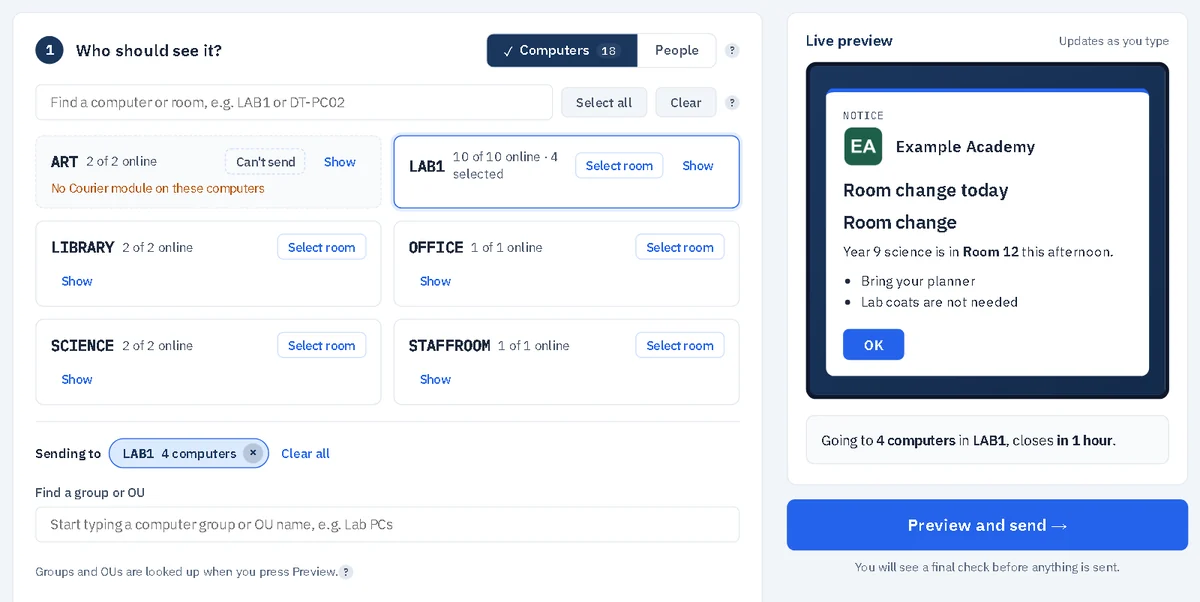
- Write, preview, send. The preview says who the notice reaches and warns about computers that are off or do not have the Courier module.
- Honest results. “Displayed” means it was on the screen, never that anyone read it, and “expired” is never counted as acknowledged.
- Audiences. Computers or people, including Active Directory groups such as a year group, with limits on what each sender may send.
- Reusable wording. Templates with blanks for a date, a room or a choice.
How to send a message to every computer in a school shows it step by step.
Where another product is the better fit
We would rather you knew. If you need any of these, Courier is not the right tool today:
- Emergency alerting. Courier is not for emergencies and gives no promise a notice arrives in time. It must never replace your fire alarm, PA or bell, radios, or your school’s own emergency procedures. The two products above market that use; judge them against your own procedures.
- Scheduled or repeating notices. Courier does not have them.
- Macs, Chromebooks, phones or tablets. Courier is for Windows computers only.
- A message with no agent to install. Courier needs the RSJ Agent on every computer that should show a notice;
msgdoes not.
See Courier’s pricing, or read Learn for the videos and documentation.
Courier — an RSJ Software product. Product names are the trademarks of their owners; RSJ Software is not affiliated with any vendor named here.